Compress PDF to 100 KB, 200 KB or 500 KB for Your Form
Choose your PDF and the size your form allows. The tool shrinks it only as far as needed and shows the real size of the new file.
Runs on your own phone or computer. Nothing you add is uploaded. Free, no sign-up.
How to use it
- Choose your PDF. Pick a PDF up to 80 MB. You see its size and number of pages at once.
- Choose the size you need. Under Size you need, pick 100 KB, 200 KB, 300 KB, 500 KB, 1 MB or 2 MB, type your own in Other size, or choose Smallest readable.
- Try black and white (optional). Under More options, Black and white pages gives the smallest files for scanned text.
- Make it smaller and download. Every page keeps its own size. The size you see is the real size of the file.
Tip: Check the size limit in your own notification, then pick it under Size you need. Scanned PDFs usually shrink a lot; PDFs made from text do not.
What happens to your PDF
Each page is drawn, saved as a picture and put on a new page of the same size. The tool then lowers the picture sharpness and quality step by step, only as far as needed, until the real file is under your limit.
So scanned and photo PDFs usually shrink a lot. A PDF made from text, such as one saved from Word, is already small and usually gets bigger, so the tool tells you to keep the original. If your PDF already meets the limit, it says so too.
Because pages become pictures, the text, links, bookmarks and form fields in the new file cannot be selected or used, and a digital signature is not carried over. Keep your original too.
Size choices
For a limit, the tool measures the real file at each step, so the size you see is not a guess.
| Choice | What the tool does |
|---|---|
| Smallest readable | No limit. Goes to the smallest version that stays readable, if it is at least 5% smaller than your file. |
| 100 KB, 200 KB, 300 KB, 500 KB, 1 MB or 2 MB | Finds the sharpest version that is that size or smaller. |
| Other size | Your own limit from 10 KB to 20,000 KB. |
| Black and white pages (option) | Saves pages as black and white only. Smallest for scanned text; photos, stamps and colours turn black and white. |
Common questions
How do I compress a PDF to 100 KB, 200 KB or 500 KB?
Choose your PDF, pick 100 KB, 200 KB or 500 KB under Size you need and press Make PDF smaller. The tool tries lower picture detail step by step until the real file fits and shows the size. A scan of many pages may not reach 100 KB; it then says so.
What PDF size does an exam form need?
It differs by notice and document. The IBPS CRP RRBs XV notice, for example, asks for the 10th certificate, and disability certificates where they apply, as an A4 PDF of not more than 500 KB. Use the limit in your own notification.
Will the text still be readable?
Usually. Pages are saved as sharp as your limit allows, and never below the tool's lowest level for readable text. Check the first-page preview and zoom in before you upload: very small print can look soft. If your limit is too small, the tool says so.
Why can't I select the text afterwards?
Each page is saved as a picture, as in any scan, so you can no longer copy text from the new file. Keep your original too.
Why does it say my PDF cannot be made smaller?
A PDF made from text, such as one saved from Word, is usually tiny already, and turning it into pictures makes it bigger. A scan already at the lowest readable level cannot shrink either.
What if my limit is too small to reach?
The tool shows the smallest readable size and says it is over your limit. If that is no smaller than your file, it says the PDF cannot be made smaller. Try Black and white pages under More options, remove pages you do not need, or scan again at a lower setting.
What does Black and white pages do?
It saves each page as black and white only, which gives the smallest files for scanned text. Photos, stamps and colours become black and white.
My PDF is locked with a password.
Remove the password first: open the PDF, print it to a new PDF, then choose the new file here.
Can I compress a very large PDF?
Files up to 80 MB can be chosen. A PDF with many big pages can be heavy for a phone; if it fails, try a copy with fewer pages.
Is my PDF uploaded?
No. The PDF is read and rebuilt on your own phone or computer. Your PDF is not sent to FormSarthi.
About this tool
Made by the FormSarthi team · Last checked:
How we checked it
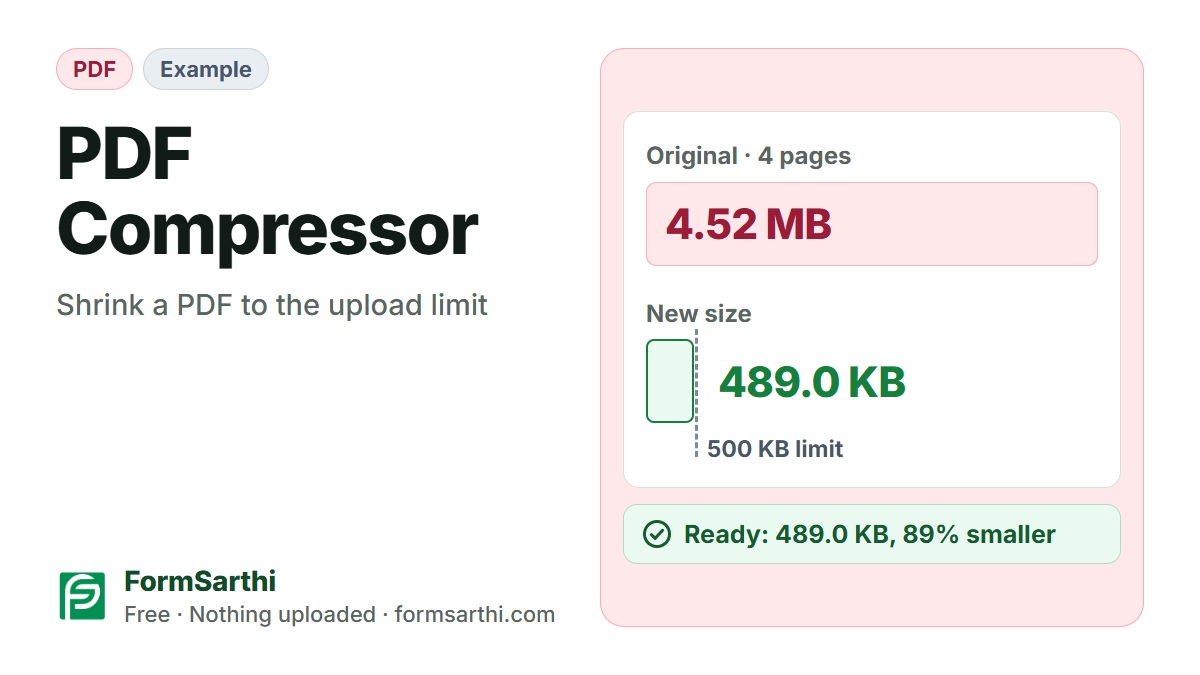
Checked on 25 Nov 2026 in desktop and 390 px phone-width Chrome, English and Hindi. A 4.52 MB scanned 4-page PDF with the 500 KB choice became 489.0 KB, and the landscape page stayed landscape. With 100 KB it stopped at 337.6 KB and said so; with Black and white pages it made 97.6 KB. A text-only PDF was reported as could not be made smaller (339.0 KB). Locked and broken PDFs gave clear messages.
What it can do
- Limits of 100 KB, 200 KB, 300 KB, 500 KB, 1 MB, 2 MB or your own
- Smallest readable file when you set no limit
- Optional black and white pages for scanned text
- Every page keeps its own size and shape, landscape or portrait
- Shows the real size of the new file
What it cannot do
- Pages become pictures: text, links and form fields in the new PDF cannot be selected or used.
- A PDF made from text, or one already small, may not get smaller, and a very small limit may be out of reach while pages stay readable.
- Password-locked PDFs cannot be opened. Remove the password first.
- Files over 80 MB are refused, and a very large PDF can be too heavy for a phone.
Official documents it relies on
- CRP RRBs XV notification, Annexure III: Guidelines for Scanning and Upload of Documents (online registration 01.09.2026 to 21.09.2026) · Institute of Banking Personnel Selection (IBPS)
Found a mistake? Tell us
FormSarthi is not a government website. Check your own notification before you apply.
More tools
- JPG to PDF Converter — Combine several JPG or PNG pictures into one PDF that fits the size limit your form asks for.
- Image Resizer & Compressor — Bring a photo or signature to the exact pixel size and KB range a form asks for, without stretching it.
- Photo + Signature Joiner — Join your passport photo and your signature into one image, photo above signature or side by side.
- Name & Date on Photo — Print your name and the date the photo was taken on a white strip at the bottom of your passport photo.
- Age Calculator — Your exact age on the date a notification counts age on, and whether you are within its age limit.
- Percentage / Marks Calculator — Percentage from marks, from several subjects, or from a CGPA by your board's or university's rule.